
 Technologies / iOS
iOS development,
the way Apple intended.
Swift and SwiftUI, native across the Apple ecosystem. HealthKit, Wallet, watchOS, and the App Store — built by engineers who've shipped before.

Native iOS
Swift · SwiftUI
40+
iOS apps shipped
iOS 16+
Deployment target
99.98%
Crash-free sessions
5–10 d
Engineer placement
Platforms
One app, every Apple surface.
SwiftUI travels. Where it makes sense we share code across Apple platforms; where it doesn't, we build for the platform.
iPhone
Primary target — 95% of our iOS builds
iPad
Multi-column, pointer support, sidebars
Apple Watch
Companion or standalone — complications, workouts
Mac
SwiftUI for Mac, Mac Catalyst when needed
Apple TV
Media apps with TVML or SwiftUI tvOS
Vision Pro
visionOS — spatial apps when the use case earns it
By the numbers
Performance targets we hold ourselves to.
< 400 ms
Cold launch target
≥ 60 fps
Scroll performance
99.98%
Crash-free sessions
4.7★
Avg. App Store rating
The stack
Tools we ship with.
Swift 5.10+
Strict concurrency
SwiftUI
Declarative UI
UIKit
Interop where needed
Combine
Reactive streams
Swift Concurrency
async/await, actors
SwiftData
Persistence
XCTest
Units + UI
TestFlight
Beta distribution
App Store Connect
Release pipeline
CloudKit
Sync + backup
Core ML
On-device inference
StoreKit 2
In-app purchases
Human Interface Guidelines
It has to feel like iOS.
Not a web view, not a ported Android app. Every screen we ship follows Apple's Human Interface Guidelines — the patterns users already know from every other app on their phone.
Tab bars & nav stacks
Standard iOS navigation, not Android sidebars. Tab bars at the bottom, back buttons in the top-left, sheets for modals.
Platform gestures
Swipe back, pull to refresh, long-press context menus, edge-pan. Every gesture users expect, wired in.
SF Pro typography
System font, Dynamic Type support, weight and size per Apple's scale. No custom fonts unless the brand demands it.
44pt tap targets
Minimum touch target size, spacing that respects the HIG. Buttons that people can actually hit.
Motion & feedback
Haptics, spring animations, and transitions that feel like iOS — not a ported Material design system.
SF Symbols
5,000+ system icons, weight-matched to the text, scalable with Dynamic Type. Not custom assets drawn in Figma.
Honest advice
Native, React Native, or Flutter?
We build all three. The right choice depends on your team, your ecosystem needs, and what you're trying to ship.
Native iOS
Best fitWhat we're best at
- Tight Apple ecosystem (HealthKit, Wallet, Watch, Vision)
- Performance-critical (60/120fps animations, heavy Metal)
- Best-in-class polish and platform feel
- Apple Pay, StoreKit 2, Live Activities
- Enterprise distribution or MDM
React Native
Shared with web
- Existing React web app to share code with
- Team already writes React/TypeScript
- Business logic, types, and API clients shared
- Fast MVP timelines with Expo
- Cross-platform budget
Flutter
Consistent custom UI
- Pixel-identical custom UI across platforms
- No existing web stack to leverage
- Complex custom animations and widgets
- Desktop + mobile from one codebase
- Dart-friendly team
Apple frameworks
The ones we actually integrate.
Not a checklist — these are the frameworks we've shipped in production, with permission flows, entitlements, and privacy manifests handled properly.
HealthKit
Workouts, vitals, clinical records
Wallet
Apple Pay, passes, IDs
StoreKit 2
IAP, subscriptions, receipts
CloudKit
Sync, backup, sharing
WidgetKit
Home, Lock Screen, StandBy
App Clips
Lightweight entry points
Core ML
On-device ML inference
ARKit
World tracking, scene understanding
MapKit
Maps, routing, offline tiles
Sign in with Apple
Privacy-first auth
Face ID / Touch ID
Biometric authentication
Live Activities
Dynamic Island + Lock Screen
Modern Swift
Swift 6 ready.
Strict concurrency, structured async, macros, and SwiftData. The language has moved forward a lot since 5.0 — we build with what's current, not what's comfortable.
Strict concurrency
Complete concurrency checking enabled. Data races caught at compile time, not in production.
Async/await everywhere
AsyncURLSession, structured task trees, and cancellation that actually propagates.
Macros
@Observable, @Model, and custom macros replace boilerplate. Less code, fewer bugs.
SwiftData
Persistence with @Model. Core Data performance, SwiftUI ergonomics.
Accessibility
Designed for everyone, from day one.
Not a post-launch checklist. Every screen we ship meets WCAG 2.2 AA and passes manual VoiceOver testing on real devices.
VoiceOver
Every interactive element labelled and grouped. Rotor navigation tested.
Dynamic Type
Full support up to accessibility sizes. Layouts tested at XXL.
Contrast
WCAG 2.2 AA minimum. Dark mode and high-contrast testing.
Reduce Motion
Animations respect the system setting. Alternative transitions provided.
Voice Control
Elements addressable by name and number. Custom commands where needed.
Switch Control
Full keyboard and switch navigation. Focus order verified.
Live Activities
Dynamic Island & the Lock Screen.
Live Activities let your app surface real-time updates right on the Lock Screen and in the Dynamic Island — without opening the app. We've shipped them for delivery tracking, sports scores, and workout timers.
Delivery tracking
Order status, driver ETA, and progress on the Lock Screen.
Sports scores
Live updates without opening the app — minute by minute.
Now playing
Music, podcasts, audiobooks with scrub and controls.
Timers & workouts
Active workout, fasting timer, countdowns with live feedback.
Dynamic Island · three states
Order #4821
Arriving in 12 min
Lock Screen
Order #4821
Arriving in 12 min
WidgetKit
Home, Lock Screen, and StandBy.
Widgets that surface the right information at the right moment — a glance on the Lock Screen, a dashboard on the Home Screen, a nightstand in StandBy.
Home Screen widgets
Small
2×2 — glanceable stat or icon
Medium
4×2 — data plus a chart
Large
4×4 — full dashboard
Lock Screen widgets
Circular
Ring or dial — one metric
Rectangular
Text-based — one or two data points
Inline
Single-line — status at a glance
Push notifications
Alerts users actually want.
Rich notifications
Images, action buttons, threads, and custom UI extensions.
Critical alerts
Override silent mode with Apple entitlement. Medical, safety, security.
Silent pushes
Background sync without alerting the user. Data stays fresh.
APNs pipeline
Token provisioning, certificate management, error handling, retries.
StoreKit 2
Subscriptions, done properly.
Most subscription bugs come from not understanding Apple's subscription lifecycle. We handle every state — trial, renewal, grace period, billing retry, cancellation — server-side and in-app.
Subscription groups
Tiered plans with upgrade, downgrade, and crossgrade rules modelled in-app.
Intro & promo offers
Free trials, pay-as-you-go, pay-up-front. All Apple-supported offer types.
Receipt validation
Server-side validation with App Store Server Notifications v2.
Subscription lifecycle
Renewal, billing retry, grace period, cancellation — every state handled.
Pricing A/B tests
StoreKit 2 lets you test pricing per region and cohort without an app update.
Analytics
MRR, churn, LTV, cohort retention — wired into your existing dashboards.
iPad
iPad is not a big iPhone.
Real iPad apps use the space, support the pointer, respect the Pencil. We build for the platform, not just the screen size.
Multi-column layouts
Split view, sidebars, three-column navigation. Full iPad UI, not a stretched iPhone.
Pointer & trackpad
Hover states, right-click menus, trackpad gestures. Keyboard shortcuts and menu bar.
Apple Pencil & Scribble
Handwriting recognition, tool palettes, hover preview, pressure and tilt.
Stage Manager
External displays, multi-window, drag-and-drop between apps.
Privacy & compliance
Passes Apple's privacy review the first time.
Privacy manifests, nutrition labels, and on-device processing aren't afterthoughts — they're how we build. Every app we ship passes Apple's privacy review on first submission.
Privacy manifests
Apple now requires a manifest for every app. We write yours, and keep it accurate as you add SDKs.
App Tracking Transparency
ATT prompts and consent flows. SKAdNetwork for measurement without user tracking.
Nutrition labels
App Store privacy details, correct on first submission. No rejections for missing data types.
On-device processing
Core ML inference without sending data to a server. Sensitive data stays on the phone.
GDPR + CCPA
EU and California requirements modelled into the app, not bolted on at audit time.
App Privacy Report
Understand what your app and third-party SDKs actually access. Ship only what you need.
Data Used to Track You
Data Not Linked to You
Version support
Which iOS versions we build for.
We default to iOS 16+ — the sweet spot between feature access and audience coverage. Tighter targets available when the client's analytics support it.
iOS 18
Latest
All features
iOS 17
~45%
All features
iOS 16
~40%
Baseline target
iOS 15
~10%
Legacy APIs only
iOS 14
~3%
Dropped
App Store submission
Our track record on review.
94%
First-submission approval rate
24–48h
Average review time
78%
Appeals success rate
3
Common rejection causes we pre-empt
Most common rejection causes we pre-empt
Privacy manifest gaps
Missing declarations for data collection. Most common modern rejection.
Metadata issues
Screenshots, descriptions, or age rating that don't match the app.
Subscription terms
In-app purchase terms not meeting Apple's disclosure requirements.
Capabilities
Eight areas we work in.
Native iOS development
Swift and SwiftUI, built for iOS 17+ with a fallback for iOS 16. Native performance, Apple-grade polish, and integrations that reach into HealthKit, Wallet, and the rest of the ecosystem. No cross-platform shortcuts — this is the real thing.

iPhone
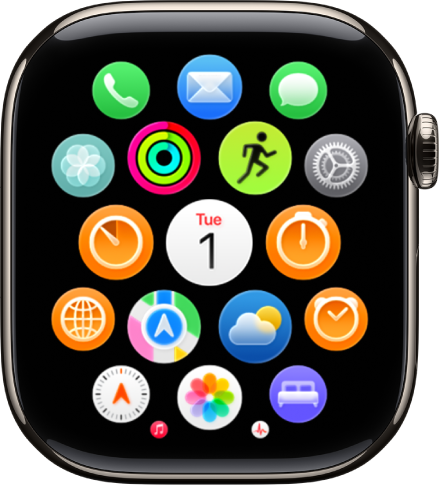
Watch
Code
The way we write Swift.
@Observable state, SwiftUI previews, strict concurrency. Modern Swift, not code from a 2018 tutorial.
Device testing lab
Tested on real hardware.
Simulators aren't enough. Every iOS engagement is validated on a physical device matrix — smallest screens, largest screens, oldest supported devices, and everything in between.
iPhone SE (3rd gen)
Smallest screen — layout floor
iPhone 15
Current base model
iPhone 15 Pro Max
Largest screen, Dynamic Island
iPad Pro 13-inch
Large tablet, Pencil support
iPad mini
Compact tablet
Apple Watch SE
Standard watchOS target
Apple Watch Ultra 2
Large watch, precision features
Apple TV 4K
tvOS compatibility
Credentials
Certified with Apple.
Apple Developer Program
Active organizational membership
App Store Connect
Team roles: Admin, App Manager, Developer
TestFlight
Internal + external tester management
Sign in with Apple
Configured team-wide
Timelines
How long an iOS app takes.
Realistic ranges based on dozens of shipped apps. Every project is different — we lock the timeline during discovery before writing any Swift.
Simple
6–8 wk
- Single-platform iPhone
- Core feature set
- Standard auth and payments
- One language
Feature-rich
10–14 wk
- iPhone + iPad
- Complex UI and data
- Push, IAP, analytics
- Multi-language
Complex
16–20 wk
- iPhone + iPad + Watch
- HealthKit, Wallet, or ARKit
- Backend integration
- Regulated environments
Every September
Ready the day iOS releases.
Apple ships a new iOS every September. Users update fast, and apps that aren't compatible get 1-star reviews that week. We plan for it all year.
Betas released. We test against them the same week.
Fix breaking changes. New APIs explored for feature potential.
TestFlight builds against the GM. Final fixes staged.
Update submitted the day iOS releases. Same-day support live.
Release pipeline
Commit to App Store in one motion.
Commit
Push to main triggers CI.
Build
Xcode Cloud or GitHub Actions builds the app.
Test
XCTest, XCUITest, snapshot suite runs.
TestFlight
Internal testers get builds automatically.
Review
App Store submission with phased release.
TestFlight
Real users, before the App Store.
Internal testers
Up to 100 testers, no review needed. Immediate distribution.
External testers
Up to 10,000 testers. One short Apple review per build.
Feedback loop
Crash reports, screenshots, and text from testers built into TestFlight.
Phased rollout
7-day staged release after approval. Pause or rollback any time.
Architecture
MVVM with dependency injection.
Not a ViewController with everything bolted on. Real separation of concerns — testable, injectable, and readable a year from now.
// Dependency-injected, async, testable
@Observable
final class InvoiceListViewModel {
    private let repository: InvoiceRepository
    private let analytics: AnalyticsService
    private(set) var invoices: [Invoice] = []
    private(set) var state: LoadState = .idle

    init(repository: InvoiceRepository, analytics: AnalyticsService) {
        self.repository = repository
        self.analytics = analytics
    }

    @MainActor
    func load() async {
        state = .loading
        do {
            invoices = try await repository.fetchAll()
            state = .loaded
            analytics.track(.invoicesLoaded(count: invoices.count))
        } catch {
            state = .failed(error)
        }
    }
}

struct InvoiceListView: View {
    @State private var vm: InvoiceListViewModel

    var body: some View {
        List(vm.invoices) { invoice in
            InvoiceRow(invoice: invoice)
        }
        .task { await vm.load() }
        .refreshable { await vm.load() }
    }
}
The process
Five phases. Every iOS engagement follows them.
Discovery
Platform targets (iPhone, iPad, Watch, Mac), framework needs (HealthKit, Wallet, CloudKit), and deployment minimum. Architecture and delivery plan locked before any Swift is written.
Deliverables
Platform matrix · Framework inventory · Deployment target · Fixed-price quote
Design & Prototype
Figma or Sketch prototypes tested against Apple's Human Interface Guidelines. SwiftUI previews generated from the design system — no surprise regressions between design and code.
Deliverables
Figma files · Design tokens · HIG audit · SwiftUI previews
Build
Weekly TestFlight builds to your internal team. SwiftUI-first with UIKit fallback where needed. Feature flags for phased rollout and easy rollback.
Deliverables
TestFlight builds · Feature flags · Documentation · Weekly demos
QA & Device Testing
XCTest and XCUITest suites run on a device matrix — old devices, new devices, dynamic type, dark mode, right-to-left languages. Snapshot tests catch pixel-level regressions.
Deliverables
Test suite · Device matrix report · Accessibility audit · Performance benchmarks
App Store Launch
Screenshots, metadata, privacy manifests, and submission handled end to end. Review appeals if needed. Phased release configured. Post-launch monitoring wired up.
Deliverables
App Store listing · Privacy manifest · Release notes · Crash reporting
Why Innov8ProTech
Why product teams choose us for iOS.
Native, not hybrid
Swift and SwiftUI directly. Not React Native, not Flutter. We build what Apple intended — with access to every framework and the performance that comes with it.
Ecosystem integrations
HealthKit, Wallet, CloudKit, StoreKit, App Clips, WidgetKit. We've shipped them all — not just read the docs.
Privacy by default
Permission prompts, privacy manifests, and on-device processing modelled correctly. Every iOS app we ship passes Apple's privacy review first try.
Performance-first
Instruments profiling, memory graph debugging, and launch time budgets. Apps start fast and stay fast, even as features accumulate.
Accessibility from day one
VoiceOver, Dynamic Type, Reduce Motion, and full keyboard navigation. Not a post-launch checklist — designed in from the first screen.
App Store experience
Dozens of submissions across our team. We know the rejection patterns, the metadata requirements, and how to write a successful appeal.
Selected work
iOS apps in production.
HealthKit-connected wellness app
Workouts, vitals, and sleep tracking synced through HealthKit. Clinical record integration via FHIR. Privacy review passed on first submission.
Outcome
4.8★ on App Store
Apple Pay + Wallet loyalty experience
In-app Apple Pay checkout, dynamic Wallet passes for loyalty and events, and merchant onboarding with issuer setup handled end to end.
Outcome
Zero payment rejections
Offline-first iOS app for field teams
SwiftData local persistence with CloudKit sync. Camera capture, offline forms, background location. Shipped across iPhone, iPad, and Apple Watch.
Outcome
3 Apple platforms
Client feedback
What our clients
actually say.
“The move to SikaNet CBS was a bigger shift than I expected — but the right one. Before, our Susu collectors were on paper and every BOG report took us days to assemble. Now collections appear in the office before a collector even finishes their route, and the reports are just there. The team understood our business from day one.”
David Awuni
Founder, Adwumapa Microfinance
“We were cautious about moving patient records online. The on-prem approach changed that — everything stays inside the health center, nothing goes to a foreign cloud. Our clinicians now retrieve a file in seconds instead of ten minutes, and every entry has an audit trail behind it.”
Medical Director
Sekyedumase Health Center
“The patient management system they developed has streamlined our ophthalmology department. Appointment scheduling, patient records, and referral tracking are now seamless — saving us hours of administrative work every day.”
Isaac Adu
Ophthalmologist, Ghana Health Service
FAQ
Frequently asked.
Let us talk
Building for iOS?
Tell us about your app, your users, and what you're trying to ship. We'll map the architecture and give you a fixed-price proposal.